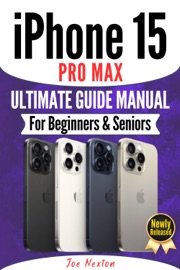
Master the Power of the Apple Studio DisplayâEven If Youâre a Complete Beginner!
Are you struggling to figure out how to get the best out of your new Apple Studio Display?
Do you wish there were a simple, senior-friendly manual to walk you through everythingâwithout the tech jargon?
Are you tired of wasting time trying to Google answers that never quite help?
The Apple Studio Display Ultimate User Guide Manual for Beginners and Seniors is your all-in-one solution. Written with clarity, care, and real-world usability in mind, this book is perfect for first-time Apple users, tech-shy seniors, and anyone who wants to unlock the full power of Appleâs most beautiful and intelligent display ever released.
Whether you're using the Studio Display for work, video calls, entertainment, or creative projects, this easy-to-follow manual simplifies every feature in plain language with step-by-step guidance. From setting up your Thunderbolt connection to fine-tuning True Tone, from using it with your Mac Studio or MacBook Pro to troubleshooting common issuesâthis guide has you covered.
Hereâs what youâll learn and gain from this guide:
⢠How to set up your Apple Studio Display in minutes
⢠Step-by-step guidance for FaceTime, Zoom, and Teams video calls
⢠How to use Center Stage, Spatial Audio, and True Tone
⢠Brightness and color profile settings made simple
⢠Using the display with MacBook Pro, Mac Studio, and Mac Mini
⢠Tips for reducing eye strain and increasing text size
⢠How to stream 5K content and enjoy premium sound
⢠Cleaning, maintenance, and cable management for seniors
⢠Quick keyboard shortcuts and daily usage tips
⢠Expert advice on recommended accessories and mounts
Whether you're 18 or 80, this user manual will help you use the Apple Studio Display like a proâwithout confusion or frustration.
If youâve recently bought the Apple Studio Display or are planning to, this guide is the perfect companion to make your experience smooth, enjoyable, and fully optimized.
Click âBUY NOWâ and take control of your Apple Studio Displayâfinally, a guide that speaks your language.
APPLE STUDIO DISPLAY ULTIMATE USER GUIDE MANUAL FOR BEGINNERS & SENIORS - Joe Nexton
Master the Power of the Apple Studio DisplayâEven If Youâre a Complete Beginner!
Are you struggling to figure out how to get the best out of your new Apple Studio Display?
Do you wish there were a simple, senior-friendly manual to walk you through everythingâwithout the tech jargon?

Are you tired of wasting time trying to Google answers that never quite help?
The Apple Studio Display Ultimate User Guide Manual for Beginners and Seniors is your all-in-one solution. Written with clarity, care, and real-world usability in mind, this book is perfect for first-time Apple users, tech-shy seniors, and anyone who wants to unlock the full power of Appleâs most beautiful and intelligent display ever released.
Whether you're using the Studio Display for work, video calls, entertainment, or creative projects, this easy-to-follow manual simplifies every feature in plain language with step-by-step guidance. From setting up your Thunderbolt connection to fine-tuning True Tone, from using it with your Mac Studio or MacBook Pro to troubleshooting common issuesâthis guide has you covered.
Hereâs what youâll learn and gain from this guide:
⢠How to set up your Apple Studio Display in minutes
⢠Step-by-step guidance for FaceTime, Zoom, and Teams video calls
⢠How to use Center Stage, Spatial Audio, and True Tone
⢠Brightness and color profile settings made simple
⢠Using the display with MacBook Pro, Mac Studio, and Mac Mini
⢠Tips for reducing eye strain and increasing text size
⢠How to stream 5K content and enjoy premium sound
⢠Cleaning, maintenance, and cable management for seniors
⢠Quick keyboard shortcuts and daily usage tips
⢠Expert advice on recommended accessories and mounts
Whether you're 18 or 80, this user manual will help you use the Apple Studio Display like a proâwithout confusion or frustration.
If youâve recently bought the Apple Studio Display or are planning to, this guide is the perfect companion to make your experience smooth, enjoyable, and fully optimized.
Click âBUY NOWâ and take control of your Apple Studio Displayâfinally, a guide that speaks your language.